
You are here
Download IDA-STEP (free and paid components)
IDA-STEP is installed in a two step process; you first install the basic framework on your computer and then, after IDA-STEP is started, the second part of the installation takes place which automatically downloads and install the free and paid components by direct Internet access to our servers. This process is called "online installation" and requires that your computer settings (e.g. firewall) allows IDA-STEP to access the Internet, For the free IDA-STEP Viewer Basic this is the only available installation method. For regular paid licenses an alternative method for the second installation process - the so called "offline installation" is available. For this it is sufficient to have Internet access with any browser on any computer. With a good Internet connection the complete installation (online or offline) should not take you more than 15 minutes.
IDA-STEP runs on
- Windows XP, Vista, Windows 7
- MAC OS X 10.5 and above
First step: Download and execute the basic framework installer
Here the installation packages for the new IDA-STEP v5.0. Note that the license conditions have changed!
- IDA-STEP V5.0 installer for Windows 64 bit (92.67 MB)
- IDA-STEP V5.0 installation package for MAC-OS, 64 bit (43.72 MB)
- IDA-STEP User Guide v4_6.pdf (16.5 MB)
and follow the instructions on the screen.
Note: For MAC OS X you first have to extract the IDA-STEP archive into a folder before you can start the executable from there.
Second step: After the initial installation start IDA-STEP. The "Register, Update and Install" dialoge will show up.
Select either "Free license" or "Enter license ID" if you purchased one. IDA-STEP then connects to the Internet and displays available components to download (for the free license this is "Viewer: Basic"). Select all of the offered components for installation and follow the given instructions. At the end IDA-STEP restarts and the installation is finished.
View detailed installation instructions for IDA-STEP v4 here.
Free IDA-STEP Viewer Basic
When processing the second installation step with the "Free license" option, a free one year single computer "IDA-STEP Viewer Basic" license is automatically granted to you. You can repeat this process at any time (e.g. after one year) and on as many computers as you like. You can use the granted license for any purpose, including commercial, private and academic use.
Upgrade to Pro 3D
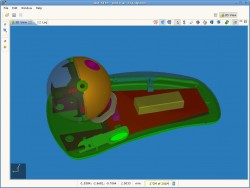 Enhance the IDA-STEP Viewer Basic for better viewing experience and additional functionality by installing IDA-STEP Viewer Pro 3D. It extends existing basic viewing functionality with additional viewing, customization and other options:
- Faster data loading with data caching;
- Measurement of the 3D model;
- Visibility, transparency, custom colors and other viewing options for 3D model components;
- Printing;
- Data displaying tables customization.
Read more about IDA-STEP Viewer Pro 3D here.
Add more components
Besides the Basic and enhanced Pro-3D viewer other components are available for IDA-STEP v4. To add additional components, purchase them using the online LKSoft shop. After the purchase is processed, the purchased components are available for installation (Second step above). You can either choose to enter a new license ID or update your existing license using the IDA-STEP v4 Register dialog (click on Help › Register, Update and Install...).